Getting started
PopAgent Configuration
Installation
Paste this snippet anywhere within the <body> of the page. Replace the
data-key
with your client key provided after the Slack install, or you can retrieve it using the slash command /popagent in Slack.
<script
  id="slackchat-embed"
  src="https://popagent.forslack.io/embed.min.js"
  data-key="YOUR_WIDGET_KEY"
  defer
></script>
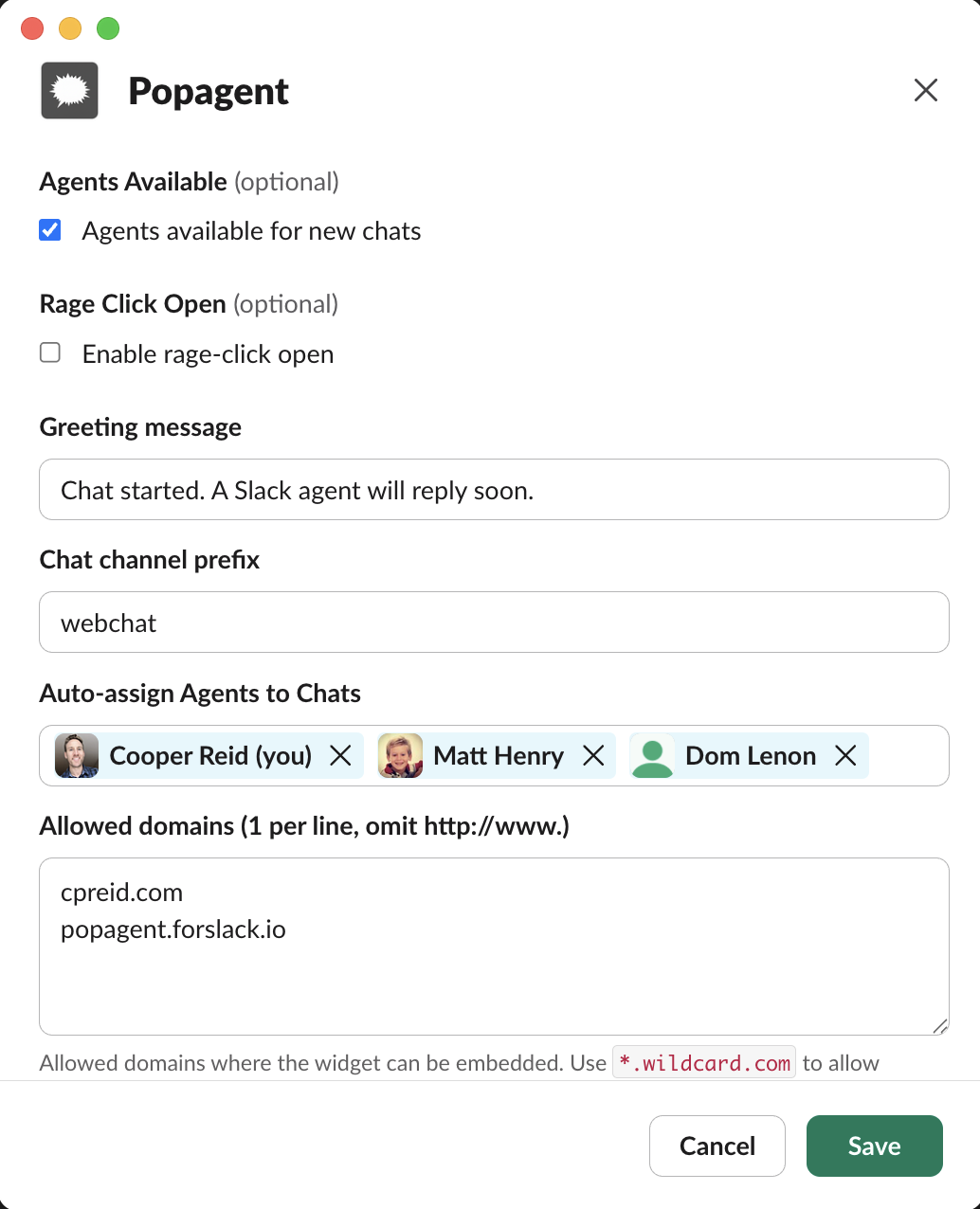
Admin Controls
Admin controls live in the /popagent Slack modal and apply to all embeds
tied to the workspace.
- Agents available — toggles the chat widget on/off based on agent availability
- Greeting message — custom green text for the chat widget.
- Chat channel prefix — prefix used when creating new Slack channels.
- Auto-assign agents — select which agents are auto-invited to new chats.
- Allowed domains — enforce embed allowlists for production.
- Rage Click Open — enable rage-click open for visitors.
Testing locally with the dev secret
Use the dev-secret query parameter (or configuration override) while testing on
localhost or staging. It is designed for safe, temporary access.
https://localhost:3000/?dev-secret=YOUR_DEV_SECRET
Dev override behavior
The dev secret always overrides domain validation. That means even if your domain is not in the production allowlist, the widget will load as long as the correct dev secret is supplied.
Pro tip
It is meant for internal testing and should never ship in public-facing HTML.